

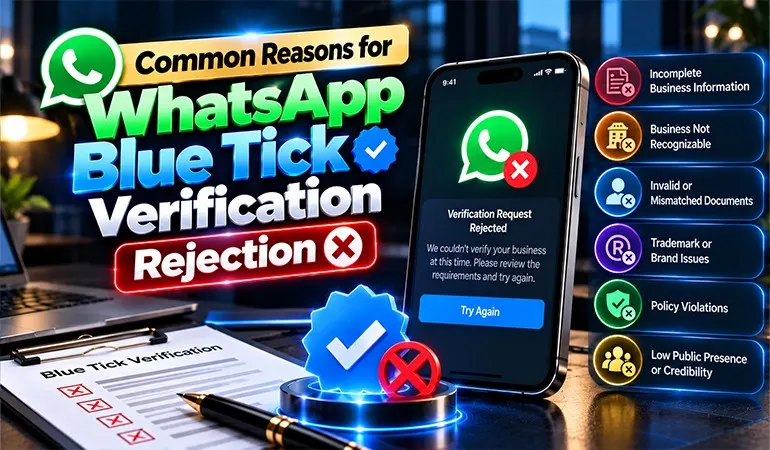
A verified badge can help customers identify an authentic business account. However, receiving approval from Meta is not always straightforward. Some businesses submit their applications without understanding the requirements, while others overlook important details that affect their eligibility.
A rejected application can delay a company's verification plans and create additional work. Understanding the possible reasons behind rejection helps businesses prepare better before applying.
Covalent Softwares helps businesses understand WhatsApp Business solutions and prepare their accounts for the applicable verification requirements.
Meta reviews business accounts according to the verification programme selected by the applicant.
For traditional Official Business Account (OBA) verification, the assessment includes authenticity, platform requirements, policy compliance and brand notability. Meta Verified follows a separate subscription-based eligibility and review process.
An application may be rejected when the submitted information does not satisfy the relevant conditions.
One of the major challenges for traditional OBA applicants is limited brand recognition.
A company may have regular customers and a functioning website, but Meta may not find enough independent information establishing its public presence.
How to address it:
Paid advertisements alone are generally not sufficient to establish notability.
Meta Business Portfolio contains important details about an organisation. If the information is incomplete or inaccurate, it can create problems during business verification.
For example, an incorrect address or inconsistent legal name may require additional clarification.
How to address it:
Review the business portfolio before applying. Check the company name, registered details, contact information and ownership information.
Some companies operate under a different brand name from their registered legal entity.
If the connection between these names is not clear, Meta may find it difficult to establish the business identity.
How to address it:
Maintain supporting documents that explain the relationship between the registered company and the public-facing brand. Ensure that the website and business information provide a consistent explanation.
The WhatsApp display name represents the business in customer conversations. Names containing unrelated keywords, promotional phrases, or misleading descriptions may create approval issues.
For example, adding terms such as "Best Company" or "Official No. 1 Service" to a business name may not follow the applicable naming guidelines.
How to address it:
Choose a display name that customers already associate with the business. Follow Meta's display name guidelines and avoid unnecessary additions.
A website is an important place where customers can learn about a company. If it contains limited information, broken pages, or unclear business details, it may weaken the overall presentation of the brand.
How to address it:
Before applying, check that the website clearly explains:
Meta expects businesses to use WhatsApp responsibly. Companies that promote prohibited products, send inappropriate messages, or repeatedly violate messaging policies may face restrictions.
How to address it:
Review the WhatsApp Business Messaging Policy and Commerce Policy. Remove prohibited activities from business communication and establish clear internal messaging guidelines.
Some businesses apply for Official Business Account status before their WhatsApp Business Platform account meets the minimum requirements.
For traditional OBA applications, the account must have been registered on the WhatsApp Business Platform for at least 30 days.
How to address it:
Check the account registration date and complete the required platform setup before submitting an OBA application.
Meta does not allow every type of business to use its services without restrictions. Certain industries and products are subject to additional conditions or prohibitions.
Businesses involved in restricted activities may not qualify for particular WhatsApp services or verification programmes.
How to address it:
Check the applicable business and commerce policies. Make sure the company's activities fall within the permitted categories.
Some businesses submit information that cannot be supported by their official records.
Claims about company history, ownership, location, or brand identity should be accurate. Incorrect information can affect the review process.
How to address it:
Use genuine company information and ensure that every submitted detail can be supported by appropriate records.
Frequent changes in account ownership, unauthorised access and weak security practices can create account management problems.
Businesses handling customer conversations through multiple employees should have a clear account access system.
How to address it:
A common mistake is assuming that Meta Business Verification automatically provides a WhatsApp Blue Tick.
These processes have different purposes. Completing business verification does not guarantee traditional OBA approval. Similarly, subscribing to Meta Verified does not remove the need to satisfy its eligibility and review conditions.
How to address it:
Identify whether the business is applying for Official Business Account status or Meta Verified. Follow the requirements of the selected programme.
Submitting the same application several times without making the required changes is unlikely to improve the outcome.
If the original problem remains unresolved, another application may face the same result.
How to address it:
Read the rejection notification carefully. Identify the missing information or eligibility issue, make the necessary corrections and follow Meta's stated reapplication timeline.
A rejection does not always mean that a business can never receive verification. The next step should depend on the reason provided by Meta.
Here is a practical approach:
Step 1: Read the rejection notification
Check the message available in WhatsApp Manager, Business Manager, or the relevant Meta verification interface.
Step 2: Identify the problem
Determine whether the issue relates to business documents, account eligibility, display name, policies, or brand recognition.
Step 3: Review business information
Check the company's official records, website, WhatsApp profile and Meta Business Portfolio.
Step 4: Make the necessary changes
Correct inaccurate information and address the specific eligibility issue. Avoid changing unrelated details without a reason.
Step 5: Follow the reapplication process
For traditional OBA applications, Meta generally allows businesses to submit another request after 30 days. Follow the timeline and instructions shown in the account.
Preparation is important before submitting a verification request. Businesses should develop a clear process for checking their eligibility and account information.
Some useful practices include:
These steps can help businesses avoid preventable mistakes and create a more organised application.
An online clothing company wanted to establish a verified WhatsApp presence to communicate with customers about new collections, order updates and returns.
During preparation, the company discovered that its website displayed a different brand name from its WhatsApp profile. Its business information also needed updating.
The company standardised its brand details, updated its website and organised its supporting documents before proceeding with the appropriate verification route.
Key Learning: Consistent business information is important when establishing an authentic brand identity.
A software development company had an active website and several business clients. However, it had very little independent media coverage.
The company wanted traditional Official Business Account verification but had not established sufficient public recognition.
It began publishing technical insights, participating in industry discussions and developing relationships with relevant publications.
Key Learning: A company's operational success and public notability are separate considerations for traditional OBA verification.
The following examples are illustrative scenarios created for educational purposes. They do not represent actual Covalent Softwares clients or confirmed Meta approval results.
Background:
A digital marketing agency wanted to improve its official WhatsApp presence. It submitted an OBA application but did not receive approval.
Main Challenge:
The agency had limited independent brand coverage. Most of its online visibility came from its own website and social media accounts.
Corrective Approach:
The company reviewed its public presence, developed informative industry content and focused on obtaining genuine third-party coverage.
It also checked its WhatsApp account requirements and business information.
Learning:
A strong social media following does not automatically establish the public recognition required for traditional OBA verification.
Background:
A retail company operating from multiple locations wanted to establish a recognised WhatsApp identity for customer communication.
Main Challenge:
Different business locations were using inconsistent contact details and company information.
Corrective Approach:
The organisation standardised its business records, reviewed its official contact details and established a central process for managing WhatsApp accounts.
Learning:
Businesses with multiple branches should maintain consistent information and clear account management practices.
Preparing a WhatsApp account for verification requires attention to business information, technical configuration and Meta's applicable policies.
Covalent Softwares provides WhatsApp Business API solutions and helps organisations understand the requirements involved in establishing their business communication accounts.
Businesses can seek assistance with:
Covalent Softwares helps companies identify areas that may need attention before proceeding with their verification application.
Whether a business is applying for traditional Official Business Account status or exploring Meta Verified, understanding the correct process can prevent unnecessary mistakes.
Final approval remains under Meta's control and verification cannot be guaranteed by any third-party service provider.
For traditional OBA applications, insufficient brand notability can be a significant reason for rejection. Incomplete business information and failure to meet account requirements can also affect approval.
Yes. Traditional OBA applicants can generally submit another request after 30 days. Businesses should first correct the issues identified in the previous application.
No. A website helps establish business information, but it does not guarantee approval. Meta considers additional eligibility conditions, including independent brand recognition for traditional OBA applications.
Yes. Having a WhatsApp Business Platform account does not automatically qualify a company for Official Business Account status. The business must meet the other applicable requirements.
Yes. Covalent Softwares can assist businesses with WhatsApp Business API setup, account configuration, eligibility guidance and preparation for the relevant verification process. Meta makes the final approval decision.
