

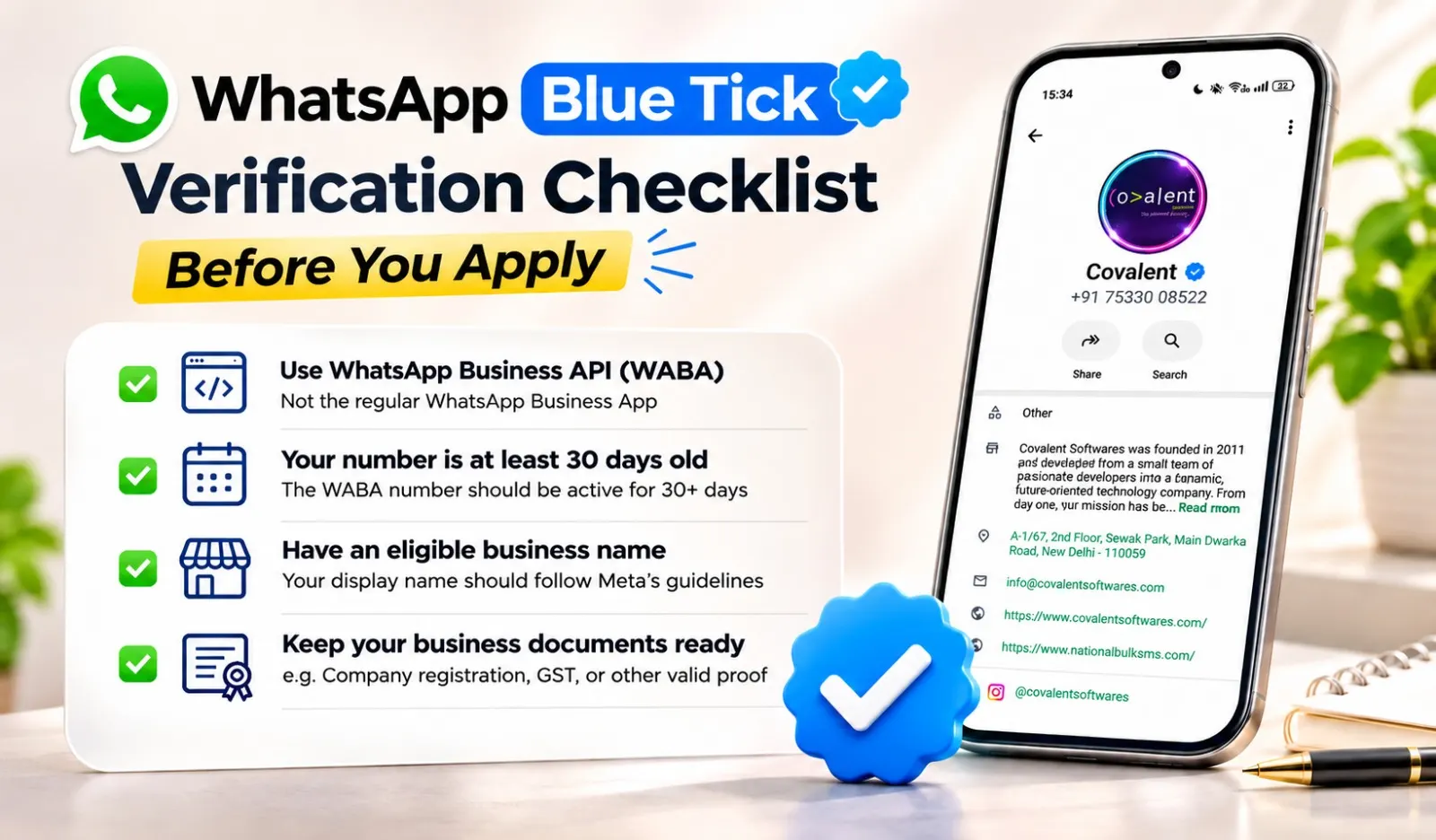
A verified badge on WhatsApp can help customers recognise that they are communicating with a genuine business. For companies using WhatsApp for enquiries, sales and customer support, a credible business identity is important.
Before applying for WhatsApp Blue Tick Verification, review your business profile, brand details, documents, account security and compliance practices. Preparing these areas can help prevent avoidable application issues.
WhatsApp Blue Tick Verification is a feature that helps identify an authentic business account. It can help customers distinguish an eligible business from accounts that may be impersonating it.
The verification process and badge eligibility depend on Meta's current programme, country and account type. Business verification and eligibility for a visible badge are not necessarily the same. Always check the latest requirements through official Meta or WhatsApp channels.
Incomplete or inconsistent information may lead to delays or rejection. Preparing your account helps present a clear and professional business identity.
A properly managed account can:
Make the official business channel easier to recognise. Present consistent brand information. Support customer confidence. Reduce confusion caused by unofficial accounts. Provide a stronger foundation for customer communication.
A badge does not guarantee sales or prevent every impersonation attempt. It should be part of a wider brand and account security plan.
Check whether your business uses the WhatsApp Business app or WhatsApp Business Platform, also known as the WhatsApp Business API. Their features and onboarding processes differ.
Businesses requiring multiple agents, CRM integration, or automated communication may consider the API. Confirm which verification options are currently available for your account type.
Make sure your profile contains accurate information:
Official business name and logo. Clear business description. Working website and email address. Business address and hours, where relevant.
Avoid spelling variations and incomplete details. Your WhatsApp profile should represent the same business customers see on your website and other official channels.
Your business name, logo, website and contact details should represent the same organisation. If your trading name differs from your registered legal name, keep genuine supporting information ready.
Never use another company's identity or misleading branding to make your account appear established.
Meta may request documents or information to confirm your business. Depending on the process and location, prepare:
Business registration or incorporation documents. Tax or other official records, where applicable. Proof of business address, if requested. Documents supporting the submitted business name.
Submit genuine, current documents through the official process. Requirements may vary, so follow the instructions provided during application.
Your website should explain what your business offers and how customers can contact you. Make sure it is active, secure, easy to navigate and consistent with your submitted business details.
An established online presence may support your business identity, but a website alone does not guarantee approval.
Review the policies that apply to your business category and messaging activities. Obtain appropriate customer permission, respect opt-out requests and avoid spam or misleading communication.
Some products and services may be restricted or prohibited. Check the latest rules before promoting them through WhatsApp.
Limit access to authorised staff and enable available security features. Keep recovery details updated and remove access when employees no longer need it.
Never share OTPs, passwords, or sensitive account credentials with someone promising guaranteed verification.
Use a phone number controlled by your business. Confirm that the display name accurately represents your brand and follows WhatsApp's naming rules.
Review all account details before submitting your application.
Avoid these mistakes when preparing your application:
Submitting incomplete or inconsistent information. Using altered, expired, or unrelated documents. Applying with an unofficial website or logo. Assuming payment guarantees a blue badge. Buying badges or accounts from unknown sellers. Ignoring WhatsApp messaging and commerce policies. Assuming business verification automatically grants a visible badge.
If an application is declined, review the reason provided and correct the relevant issue before applying again.
An online clothing store receives questions about sizes, orders and delivery through WhatsApp. Customers sometimes find accounts using similar names.
A complete official profile and an eligible verified badge can make the genuine account easier to identify. The store can then use approved WhatsApp tools to manage enquiries and order updates.
A clinic uses WhatsApp to respond to appointment enquiries and share service information. Patients need to identify its genuine communication channel.
Consistent contact details and eligible verification can help patients recognise the official account. The clinic must still protect personal information and follow applicable healthcare communication rules.
These are illustrative examples, not verified client projects or claims of actual Meta approval.
Challenge: A retailer had an incomplete WhatsApp profile. Its website and social accounts used different spellings of the brand name and some contact details were outdated.
Action: The company aligned its brand details, updated its website and profile, gathered current business records and reviewed its messaging practices.
Learning: Consistent information made its business identity clearer and helped prepare a more complete application. Approval remained subject to Meta's review.
Challenge: A consultancy wanted WhatsApp for customer support but had not organised staff access, account security, or business documents.
Action: The firm restricted access to authorised employees, updated its profile and prepared genuine supporting records.
Learning: The preparation improved its communication process and application readiness, regardless of the verification outcome.
Covalent Softwares helps businesses understand WhatsApp Business solutions and prepare an organised customer communication setup. Support can include guidance on WhatsApp Business API requirements, profile readiness, integration needs and communication workflows.
A WhatsApp Blue Tick Verification Service provider can explain the process and help organise required information. However, Meta makes the final eligibility and approval decision. No agency or provider can promise a badge.
Approval: Applications are assessed under Meta's current eligibility rules. Applying does not guarantee approval.
Changing requirements: Availability, supported countries, account types, fees and procedures may change. Check official Meta and WhatsApp information.
Accurate details: The business is responsible for submitting genuine and current information and documents.
Ongoing compliance: A badge does not exempt a business from WhatsApp policies, messaging rules, or applicable laws.
No guaranteed results: Covalent Softwares cannot guarantee approval, review time, or continued badge status.
Service agreement: Confirm the scope, charges, deliverables and refund terms in writing before purchasing assistance.
Account safety: Never disclose OTPs or passwords to unauthorised parties.
Requirements depend on Meta's programme and your account type. Prepare accurate profile details, consistent brand information, genuine documents and a compliant account.
No. Using the WhatsApp Business API does not automatically provide a badge. Your business must meet the current eligibility conditions and complete the relevant Meta review.
Yes. Verification does not remove the responsibility to follow WhatsApp Business policies, messaging rules, customer consent requirements and applicable laws.
No provider can guarantee Meta's decision. Covalent Softwares can help explain requirements and prepare your setup, but approval remains with Meta.
No. Business verification confirms certain business details. A visible badge is a separate feature governed by Meta's programme and eligibility criteria.
